Create a Girl
Define who she is, how she talks and how she reacts to you.
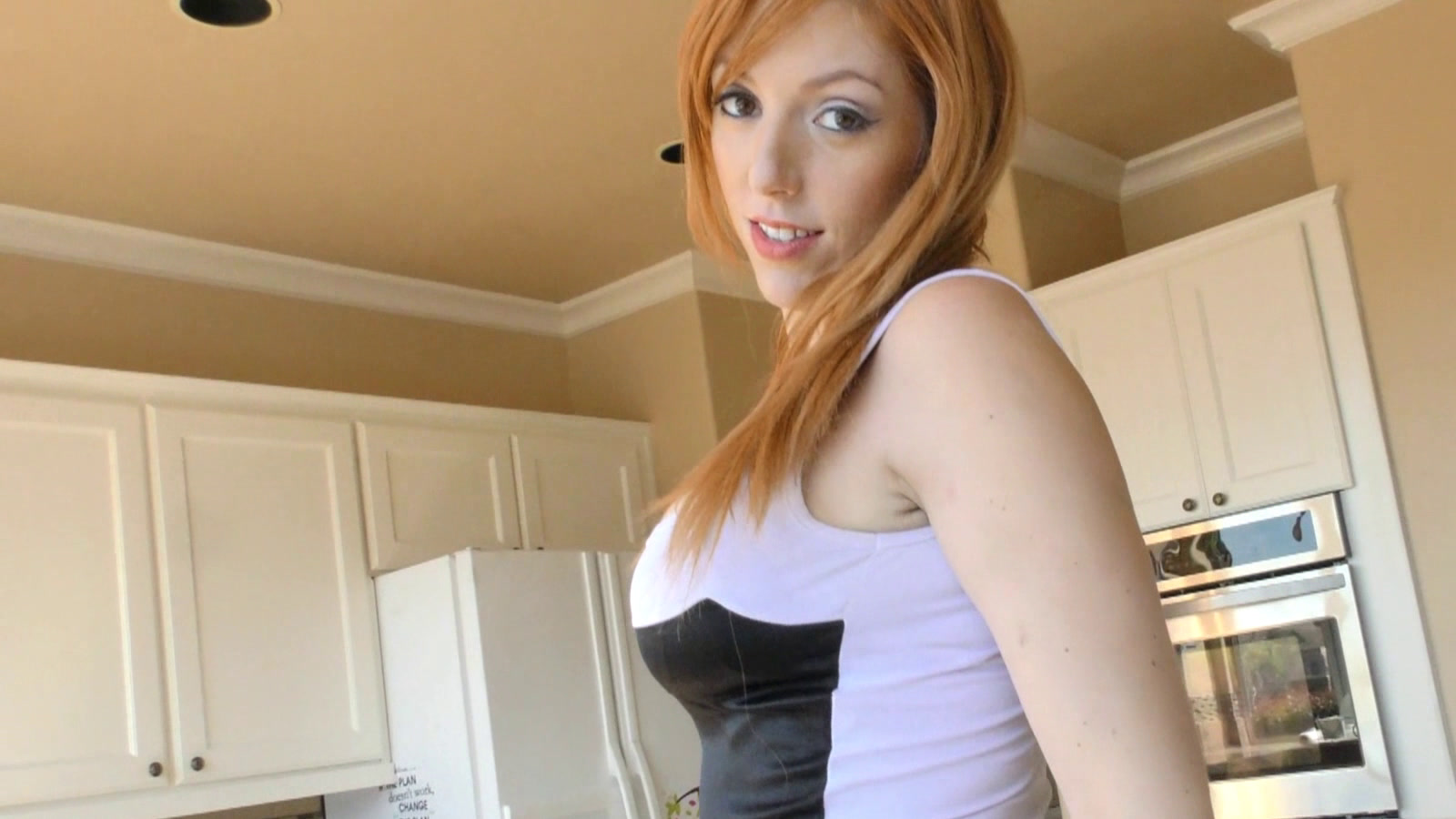
Build your own virtual girlfriend on your Windows PC with custom video, personality, responses and voice. Then choose the private local AI model that brings her to life.
VirtualFem includes hundreds of ready-to-use girls, but it does not lock advanced users into one character, one personality or one AI model. Start with an existing VirtualFem or build an entirely new girl.
Define who she is, how she talks and how she reacts to you.
Connect your own clips to her dialogue, actions, outfits and locations.
Use the core AIML brain, add a local LLM, or combine both in VirtualFem's hybrid system.
Bring in real video you already have, or clips created with your favorite AI video model or LoRA. VirtualFem connects those clips to her conversation and behavior instead of simply playing a fixed sequence.
Don’t just generate her. Make her interactive.
VirtualFem does not generate the video. Create clips in your preferred AI video workflow, then use VirtualFem to make those finished clips part of an interactive girl.
Use real video or export character-consistent clips from your favorite AI video model and LoRA workflow.
Bring the completed clips into the custom VirtualFem you are building.
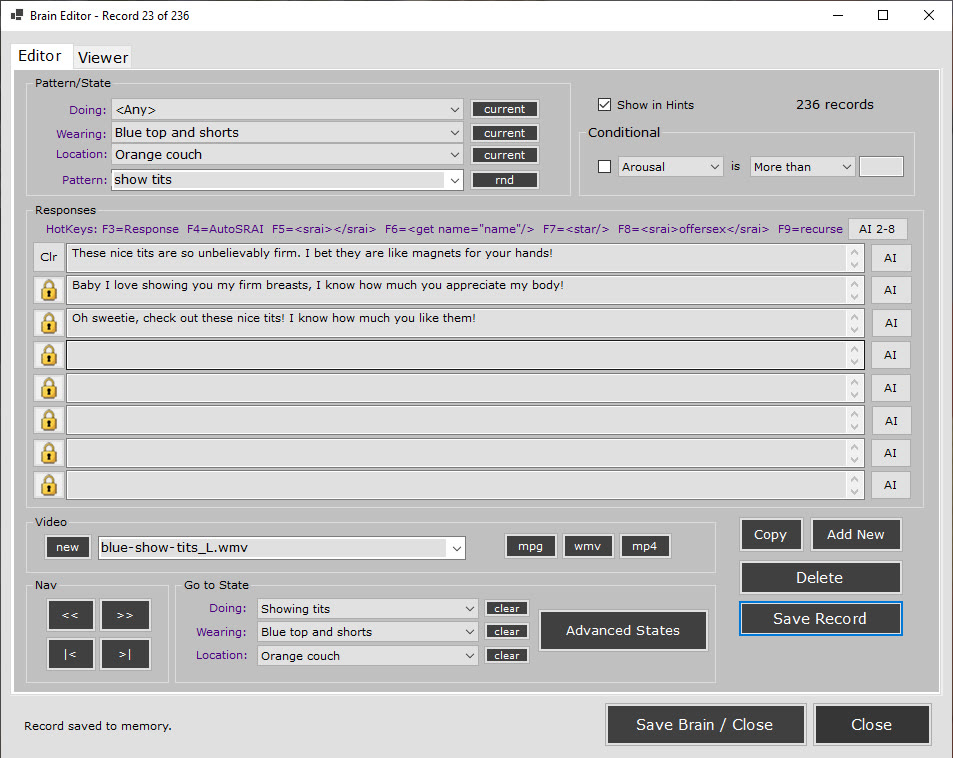
Use the Brain Editor to connect video with phrases, actions, clothing, locations and states.
Add her dialogue and personality, choose a local LLM, and select the voice that fits her.
The video comes from your tools. The interaction comes from VirtualFem.
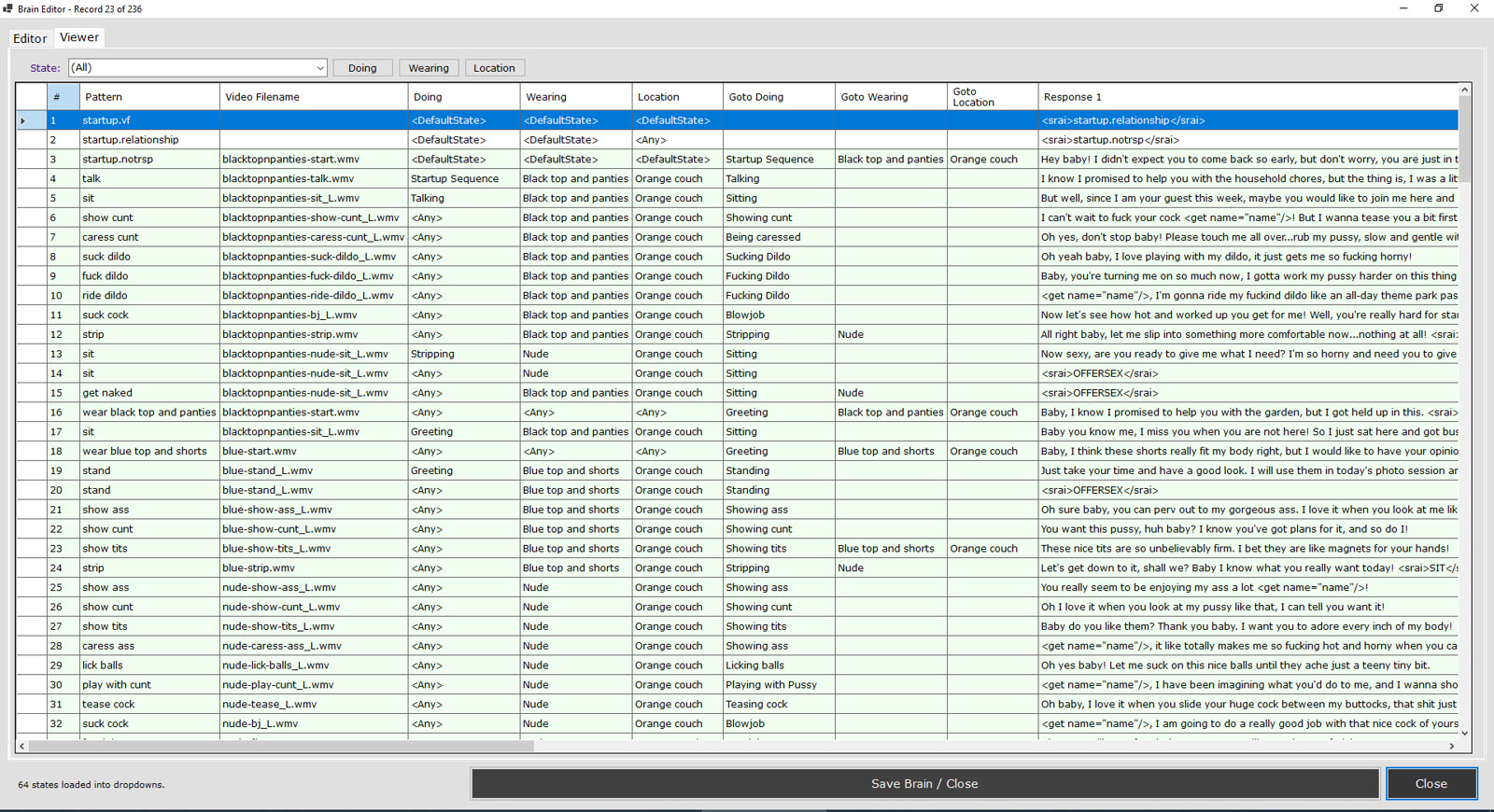
Edit patterns, write alternate responses, add conditions and control what happens next. The Brain Viewer lets you see the complete structure of a girl at once, including her current state, video mappings and state changes.
Write the things she knows, how she speaks and multiple ways she can answer the same idea.
Use mood, clothing, location and advanced states to decide which response and video fit the moment.
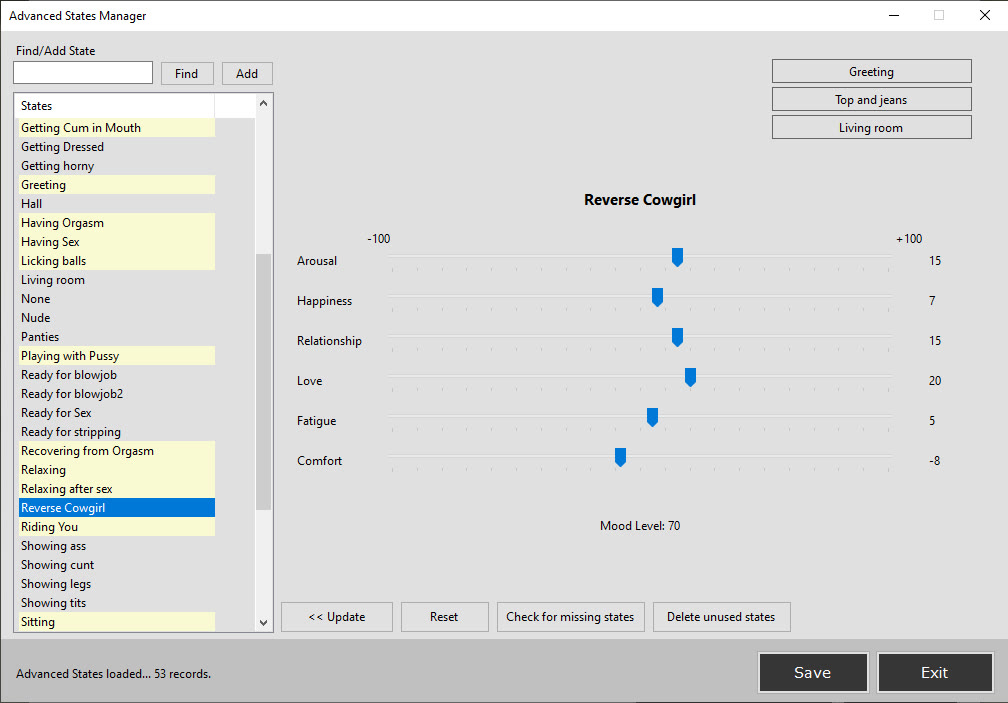
The Advanced States Manager controls how individual states affect Arousal, Happiness, Relationship, Love, Fatigue and Comfort. Give each state its own mood effects, then use those states throughout her brain and video interactions.
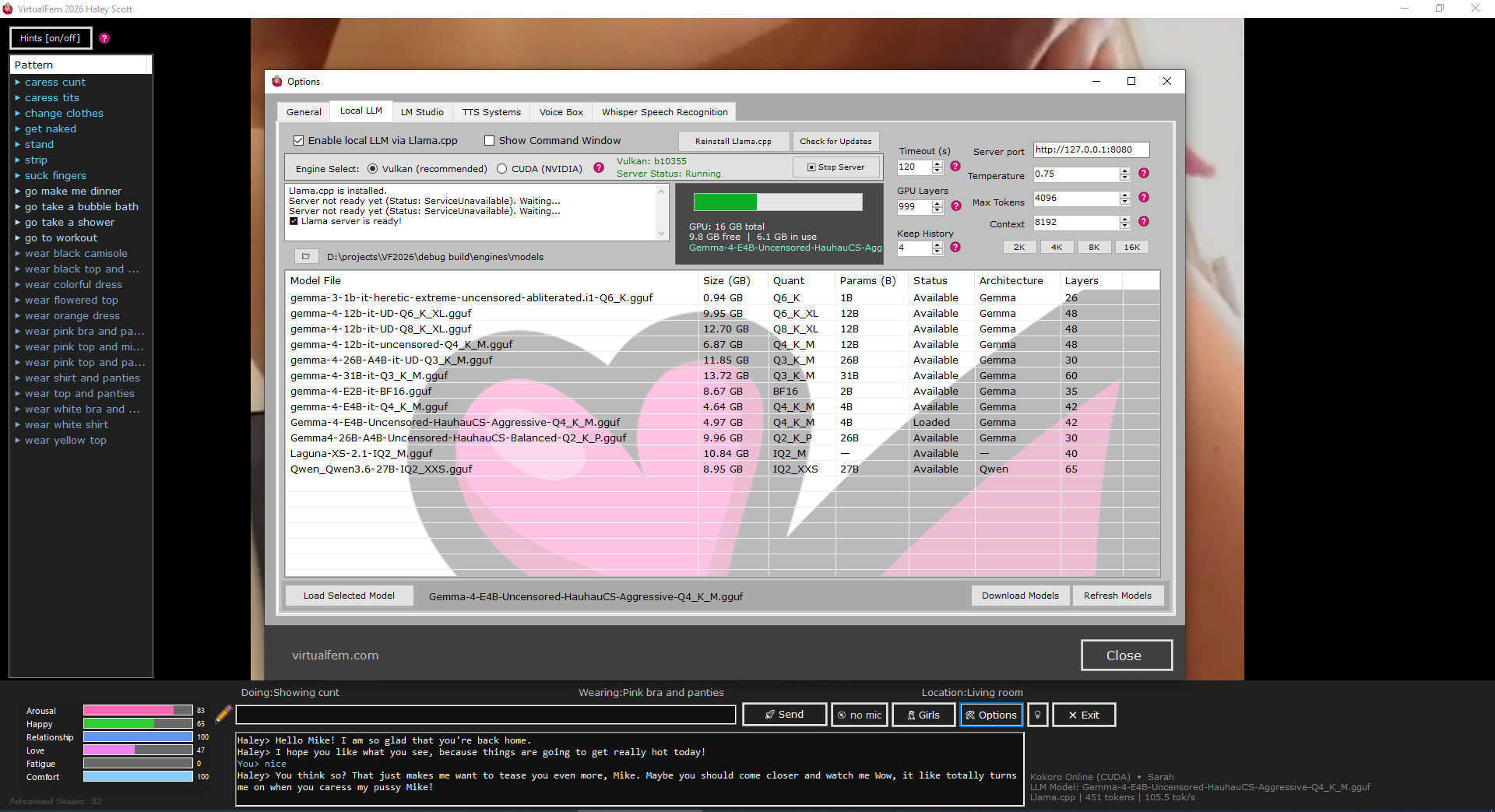
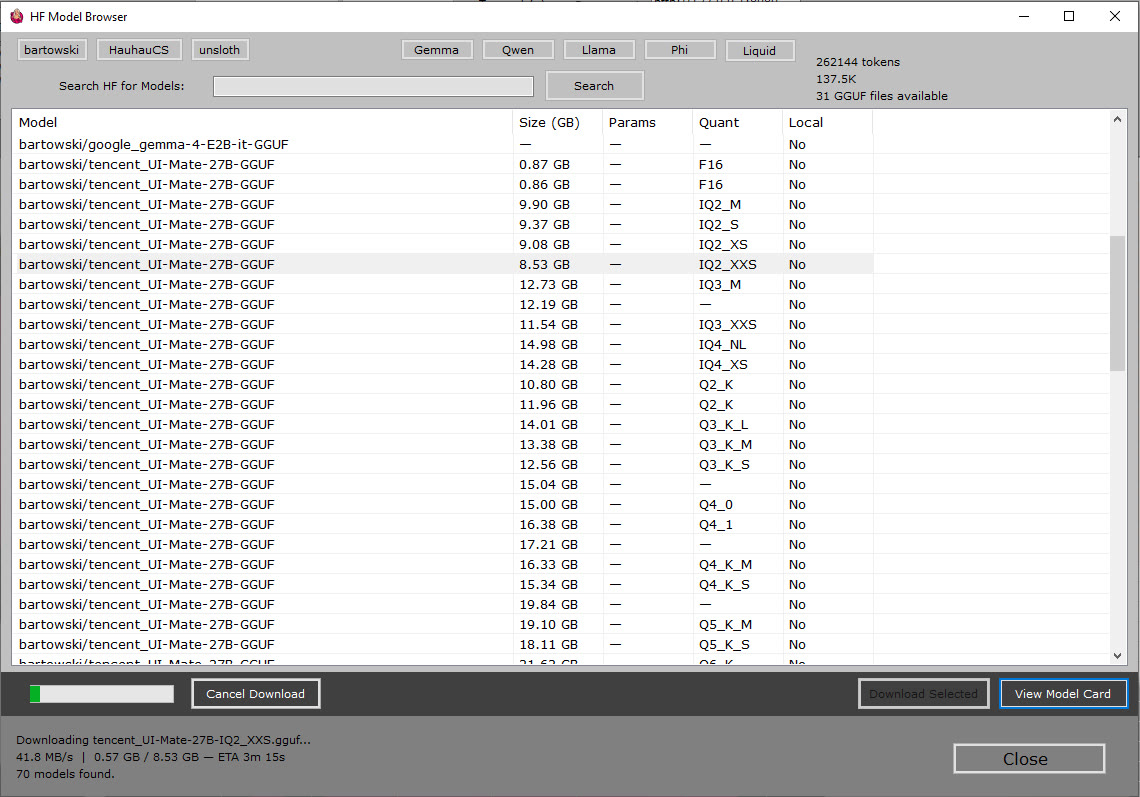
VirtualFem has native llama.cpp support for running compatible GGUF language models on your own Windows PC. Choose Vulkan or NVIDIA CUDA, tune the model settings, or connect to LM Studio if that is how you prefer to manage local models.
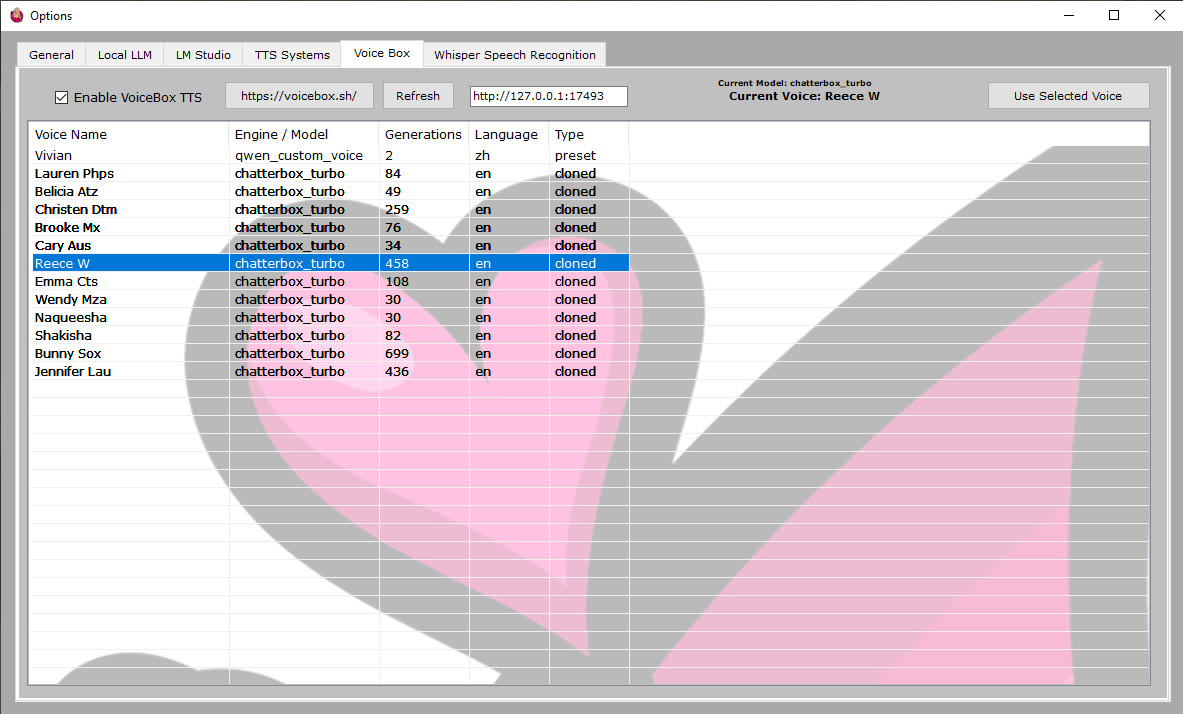
VirtualFem supports a completely local voice pipeline. Speak through Whisper voice recognition, then hear her answer through Kokoro or a voice selected from VoiceBox.
Choose from your VoiceBox voices and assign the perfect one to her.
A lightweight local TTS option for fast, natural spoken responses.
Local speech recognition lets you talk instead of typing while keeping voice processing on your PC.
Yes. Advanced users can build new girls and define their video, personality, dialogue and behavior.
Yes. Create or obtain the finished video outside VirtualFem, then use the Brain Editor to connect those clips to patterns, responses, actions, outfits, locations and state changes.
No. VirtualFem's AIML brain and separate mood and state systems support the core experience. A local LLM is an optional enhancement.
Yes. VirtualFem supports compatible GGUF models through llama.cpp, includes a direct Hugging Face model browser and can also connect to LM Studio.
VirtualFem works out of the box, then opens up when you want control over her video, brain, voice and local AI.